Secure360 Home Alarm Kit: Advanced Security for Your Peace of Mind
At ASG Security Services & Logistics Limited, we prioritize your safety by offering cutting-edge security solutions tailored to your needs. The Secure360 Home Alarm Kit, is a state-of-the-art, do-it-yourself home security system designed to provide robust protection for your home or rental property. With advanced digital security technology, this kit combines reliability, simplicity, and powerful functionality to deliver comprehensive surveillance, deterrence, and peace of mind.
Features of the Secure360 Home Alarm Kit
The Secure360 Home Alarm Kit is engineered to safeguard your home with a suite of intelligent features:
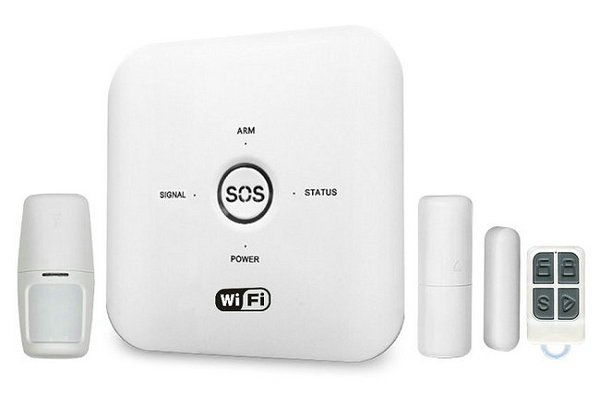
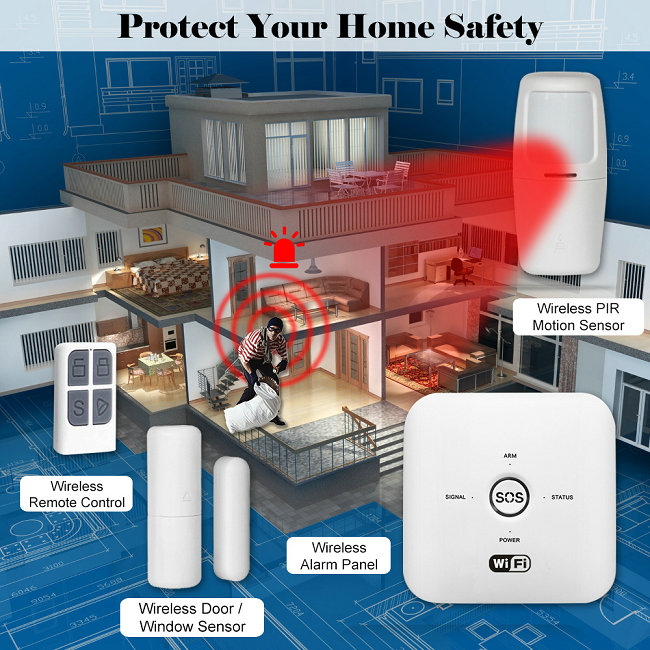
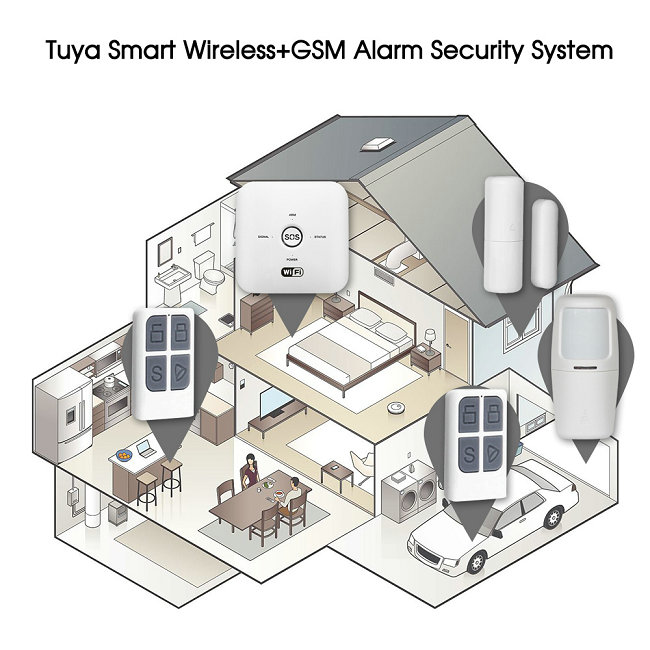
Gateway Alarm Panel: The central hub of the system, this Wi-Fi-enabled panel connects and controls all sensors and accessories. It features an inbuilt battery to ensure uninterrupted operation during power outages, keeping your home secure even when you’re away.
PIR Motion Sensor: This wireless Passive Infra-Red (PIR) motion detector uses AAA batteries to detect heat waves emitted by moving individuals within an 8-meter range. It alerts you to unauthorized movement in rooms or pathways, enhancing intrusion detection.
Magnetic Contact Sensors: These wireless sensors, powered by AAA batteries, are designed for doors and windows. They detect forceful break-ins by triggering an alarm when the system is armed, offering protection at vulnerable entry points.
Remote Control: A convenient remote allows you to arm or disarm the system with ease, providing quick access to security controls.
SOS Emergency Function: The kit includes an SOS feature for immediate alerts in emergencies, ensuring rapid response when it matters most.
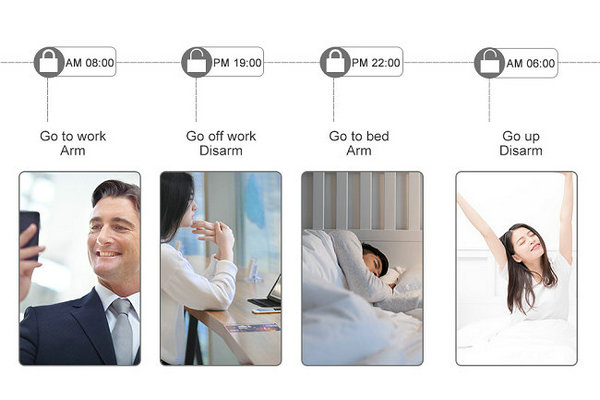
Smartphone Integration: Compatible with the mobile app (available on iOS and Android), the system allows you to monitor and control your security setup from anywhere using your smartphone, as long as you have a Wi-Fi connection.
Expandability: The kit supports additional compatible accessories, such as smart cameras, smoke sensors, smart lights, thermostats, and more, allowing you to customize your security system to fit your specific needs.
Low False Alarm Rate: Advanced digital technology ensures high reliability with minimal false alarms, providing dependable performance.
Data Security: The system employs double encryption for data and transmission channels, ensuring your information remains secure from transmission to storage.
Installation Process
Setting up the Secure360 Home Alarm Kit is designed to be user-friendly, allowing you to install it without professional assistance. Here’s a step-by-step guide to get you started:
Download the App: Download the app from the provided link or on the App Store or Google Play, or scan the QR code provided in the user manual. Register an account using your email address, agree to the privacy policy, and verify your account with the code sent to your email. Set your GPS location and select the rooms where the kit will be installed.
Prepare Your Wi-Fi: Ensure your Wi-Fi network operates on a 2.4 GHz frequency, as the system does not support 5 GHz networks. Use a Wi-Fi password with letters only, avoiding numbers or special characters, to ensure compatibility.
Set Up the Alarm Panel: Power on the Gateway Alarm Panel using the provided adapter and switch it on via the button at the back. Open the app, select “Auto Scan,” and follow the prompts. Press and hold the CDDE button on the panel for three seconds until it beeps six times, indicating Learning Mode. The panel will flash quickly when in network configuration mode. If auto-scan fails, manually add the panel by selecting “Add Manually,” then “Security and Sensors,” followed by “Alarm Wi-Fi,” and configure as prompted.
Install the PIR Motion Sensor: Choose a location free from interference, such as glass windows, swinging objects, or heat sources. Mount the sensor using the provided screw bag, ensuring it’s within 8 meters of the area you want to monitor. Avoid placing multiple motion sensors in the same area to prevent interference.
Install Magnetic Contact Sensors: Attach the larger contact (with AAA batteries) to the non-moving part of a door or window and the smaller contact to the moving part using the provided double-sided tape. Ensure the sensors are aligned to detect openings effectively.
Test and Configure: Once installed, use the app to test the system, arm/disarm it, and adjust settings like motion detection sensitivity. You can share access with family members via the app by scanning a QR code or inviting them by email.